
This guide explains how TickX’s enhanced tracking setup works, including GA4 support, server-side tracking for Meta, Google, TikTok, Snapchat, LinkedIn, and more, as well as funnel analytics and conversion APIs. It outlines how to provide tracking pixels, populate the TickX Tracking Setup Sheet, connect Google Tag Manager, and locate your platform credentials for seamless onboarding and accurate attribution.
 As part of the TickX solution, we provide an enhanced tracking setup, allowing you to track customers through the end to end purchase journey and across multiple marketing channels.
TickX has deep integrations with Google Ads, Meta, TikTok, Snapchat, LinkedIn, and more to provide greater marketing efficiency. This means more bang for your buck when it comes to marketing budgets.
Benefit from:
- Fully supported GA4 setup
- Server-side tracking for all major marketing platforms
- Funnel analytics to track interactions at every step
- Direct feeds to major marketing platforms for lookalike campaigns and retargeting including directly into Google for Performance Max campaigns
What next?
During the onboarding process, your account manager will request the tracking pixels to implement into Google Tag Manager.
Ensure you have added TickX to your Google Tag Manager and Google Analytics accounts. Your account manager will provide you with further details on how to do this.
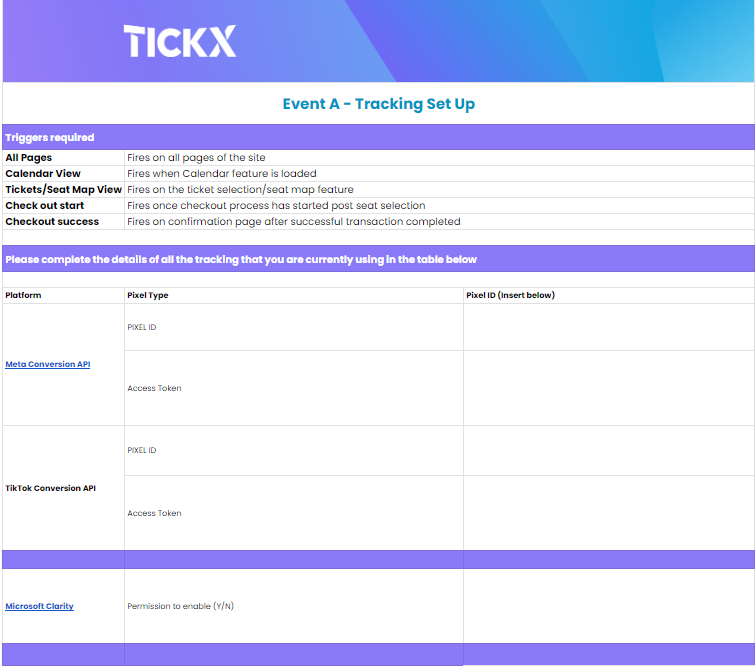
The TickX Tracking Setup Sheet will list a range of the most common and useful tags, which you can populate with your pixels including:
- Google Ads - Advertiser ID / Conversion Label
- Google Floodlights - Advertiser ID / Group Tag String / Activity String
- Facebook - Pixel ID / Access Token
- TikTok - Pixel ID / Access Token
- Google Analytics - Measurement ID
Your digital marketing team may decide not to use some of these pixels but would like to use others such as Affiliate Network tags eg. Tradedoubler and Trade Desk, which we can also support. Just add these pixels to the sheet and your account manager will add them for you.
Where can I find my credentials?
Google Ads Conversion ID and Conversion Label
Google Floodlights Advertiser ID, Group Tag String and Activity String
Google Analytics Measurement ID
Populate the TickX Tracking Setup Sheet
Once you have all your tags to hand, populate the TickX Tracking Setup Sheet:
Tracking References
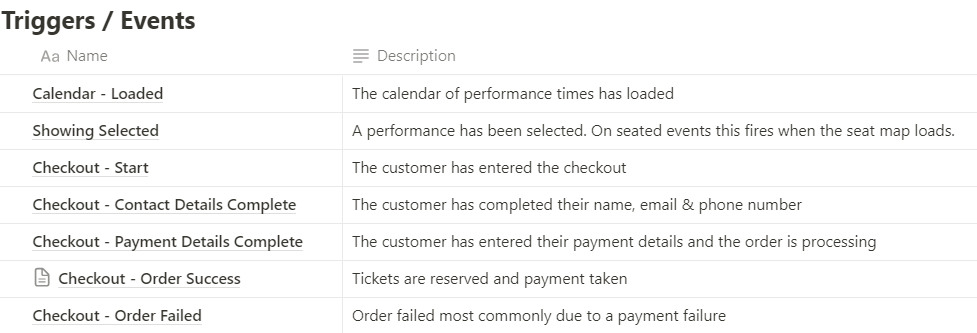
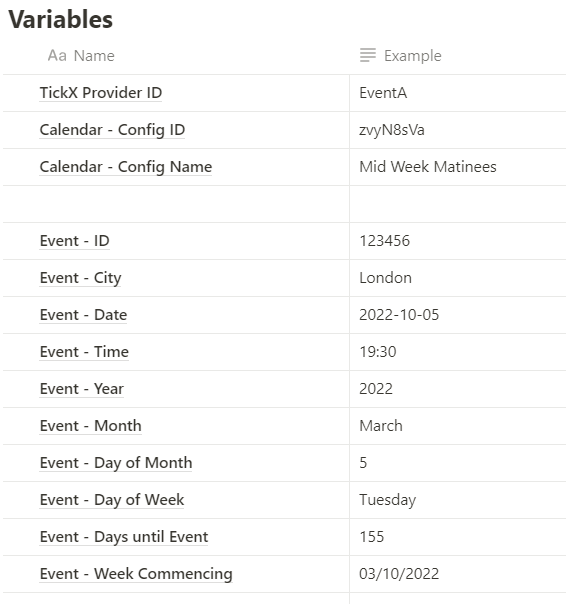
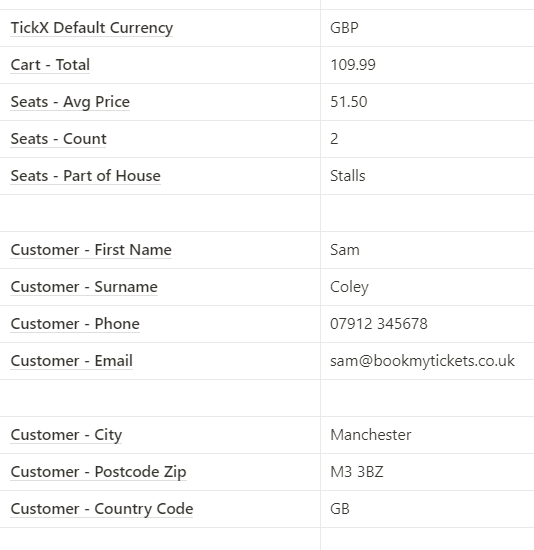
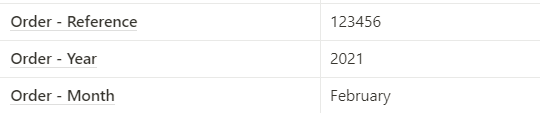
Below are examples of the TickX triggers and variables used in our tracking tags:
Please contact your account manager if you require any assistance to get your tracking setup and live.