
How to change your calendar status from within TickX IQ to either redirect, set a presale state or put in place a holding message.
Sometimes you may want to change the calendar state in the dashboard.
This might be because:
- You want to hide the calendar to all customers and put in place a holding message
- You want to hide the calendar to all customers apart from if they have a presale code
- You want to redirect customers to the underlying ticketing provider or a third party ticket agent in the rare instance that customers cannot purchase via the TickX flow
Changing the widget state
Within the TickX dashboard go to Settings > Account Settings
Here you can find the tool to alter the state of your selected event.
You have 4 options within this menu:
- Offline
- Fallback
- Presale
- Active
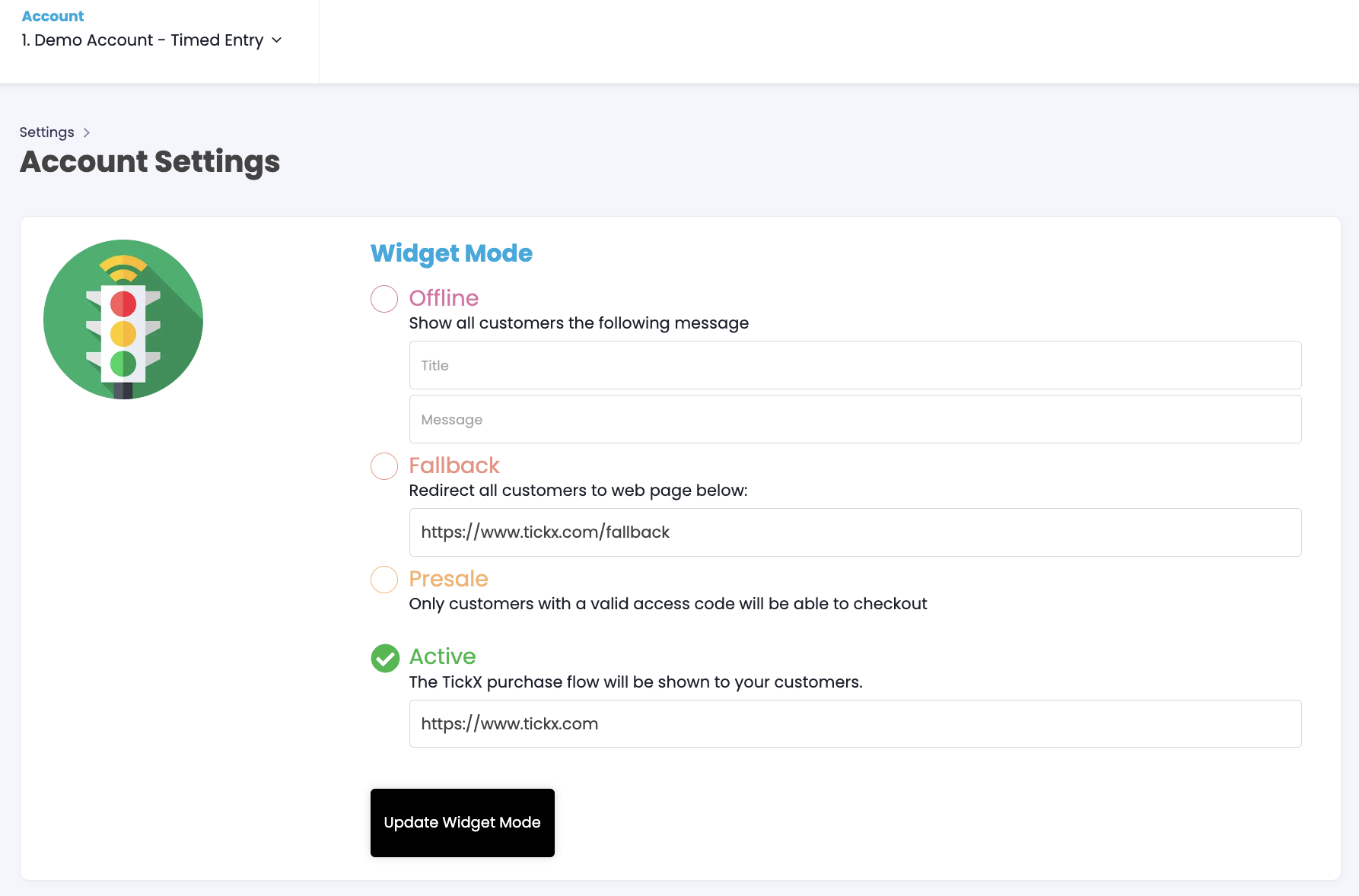
- If setting your event to offline, you are able to set a message that can be displayed to your customers that gives them more information on the state of ticket purchasing. The top field will display as a heading, and the 2nd field can be used to provide further information and context.
- Fallback is used to automatically redirect customers hitting the widget to the link you place in the field. You might want to redirect to the underlying ticketing system (default) or to a third party if the underlying system is having issues.
- Presale is used before an event goes on sale to general public, and can be used alongside access codes to either be a staff-only access test, or to streamline a certain set of customers to purchase in advance.
- When set to Active, the widget will display as normal, allowing all site visitors to access.
Before you go live with TickX it is important that you provide your account manager with a fallback link that you would be happy to redirect sales to.