
What is the Pintrest Conversion Tracking?
Tracking uses the Pintrest Conversions API to allow TickX to send order confirmations directly to Pinterest, which can be used in the same way as standard tracking events, but without any cross channel tracking challenges or cookie blockers.
Any events that have also been fired by the browser pixel are de-duped by Pintrest, but using the Pintrest Conversions API gives advertisers and agencies a belt and braces approach to Pintrest tracking.
You can find more about the advantages of server side tracking and how it works here.
Integration Set-Up
- Log-in to Pintrest Ads Manager (You need to ensure that you have Admin Access for the account you would like to link)
- In the same window > new tab> Go to Integrations Hub > Pintrest Conversion API
- Follow the step by step process by selecting your Ad Account - Save Selection
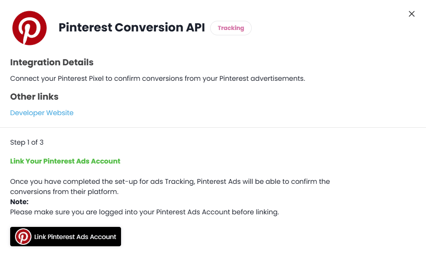
- Click to URL to generate your access token and copy & paste this back into the TickX platform
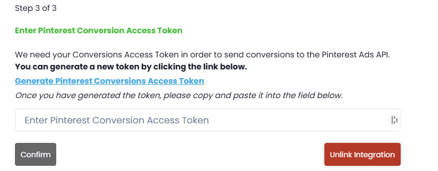
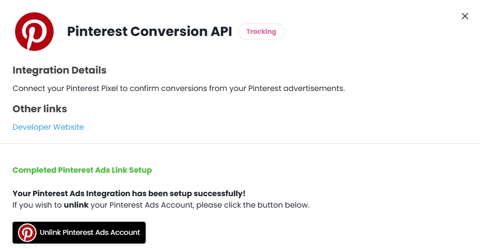
- Pintrest Conversion API is now set-up
In Pintrest, the consistent property used to prevent duplication between the pixel and API conversion is the Event ID (event_id).
Data Triggered in the Conversion APIHere is a list of all of the data sent through within the Conversion API event:
Customer Information:
- Hashed email, phone, first name, last name
- Hashed city, postal code, country
- IP address and browser information
- Pinterest EPIK identifier if available
- External user ID (hashed)
Purchase Details:
- Order amount and currency
- Order ID/reference number
- Content IDs (booking provider references)
- Content name, category, and brand
- Number of items
- Confirmation page URL
Event Information:
- Event type: "checkout"
- Source: "web"
- Language: "en"