
This guide explains how add-ons work within the TickX checkout and how they can be used to elevate the customer experience while increasing revenue per head. It outlines the different types of add-ons, such as merchandise, ticket protection, donations, food and beverage packages, and VIP upgrades—and provides recommendations for effective presentation, messaging, and upsell strategy. The guide also covers advanced features supported by TickX, including dynamic add-ons that appear based on ticket choice and grouped add-ons for streamlined customer navigation. Finally, it explains how to enable add-ons via your ticketing system and what information to provide to TickX for setup.
At TickX you have an option to include various add-on options in the checkout to help give your customers a better experience and increase revenue per head. In this guide we'll advise on some of the different add-on types you can surface and the flexibility of the TickX system.
Please Note: While all add-ons look the same in checkout with TickX, your ticketing system setup may vary. Speak to your account manager if you are not sure.
What are add-ons?
Add-ons is the collective term we use for extras that customers can purchase in checkout after they have selected their ticket.
This could include:
You may also use this service to surface other items or perks that you do not want to include in ticket selection.
You can see some examples of these below and advice on what works best:
1. Merchandise
This could include anything from souvenir tickets, T-shirts, child activity packs and more.
We do support variants by size, colour, but where possible we would advise letting customers make any decisions at the location. This means customers are more likely to make the purchase, especially if they are booking for a group / friend / partner.
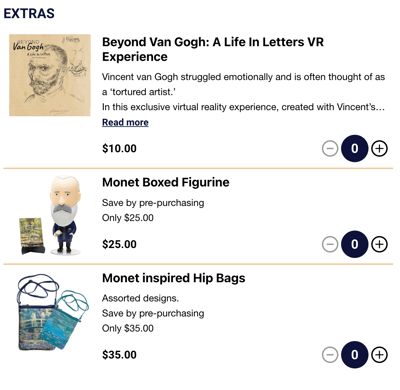
In the example below you can see a choice of merchandise. The saving is called out encourage customers to purchase in advance.
2. Ticket protection
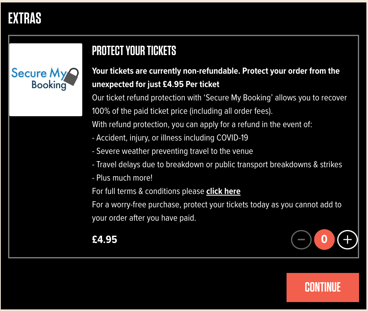
You can add ticket protection in checkout. This could either be managed internally, or you could work with a partner company to provide this service. Including this, especially for high value tickets or group bookings to give peace of mind, has a high take up rate and can encourage bookings overall.
3. Donations
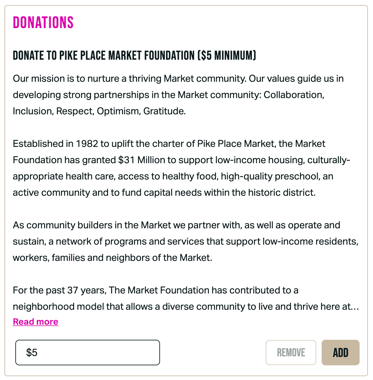
Depending on the capabilities of your ticketing system we can either surface donations as add-ons of a set amount, or we can allow customers to include the amount they would like to donate. In the descriptions we find it helps to include some information about what their donation will specifically contribute towards.
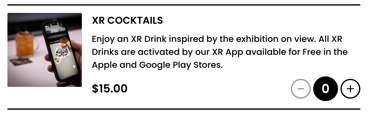
4. Food and beverage packages
If you have the option to serve F&B onsite it can be a great way to extend the experience for your guests.
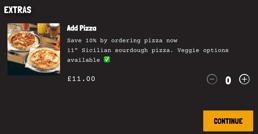
Be sure to call out any savings they make by booking in advance. Another tip is to make F&B available only after the experience so that guests stay to enjoy another round at the venue.
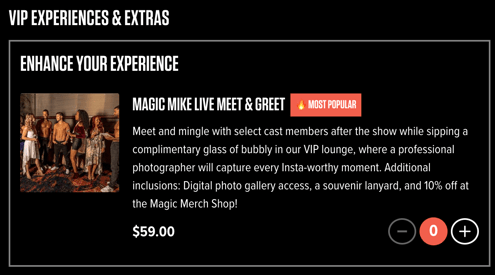
5. VIP Meet and Greet packages
Sometimes you may be able to provide an enhanced experience for customers prepared to spend a bit more. This might include a back-stage tour, a meet and greet, an exclusive lounge or similar. Be sure to include imagery and sell what's included in the copy.
What else should I know about setting up add-ons with TickX?
As well as surfacing the imagery and copy in an engaging and inviting way for customers TickX can also provide support for:
- Dynamic Add-ons: We can set up add-ons to only show based on the ticket type selection. This means if you want the super premium champagne package to only be available to VIP ticket holders we can facilitate that. Likewise, if you want to surface the merchandise already included in the VIP tickets to General Admission ticket holders we can ringfence it based on those rules.
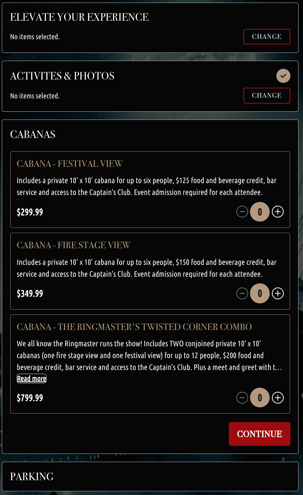
- Add-on groups: We can also set up groups in checkout so that customers can interact with different types of add-ons at different stages of their journey. This is especially helpful when there are several different types of add-ons available, as seen below:
To get your add-ons set up you will need to first enable them in your underlying ticketing system and then contact your account manager or support@tickx.com to finalise the setup. If you would like to include imagery or copy that is not included in the underlying system setup or any dynamic rules / grouping you will need to provide that information.
If you would like any more advice on the types of add-ons to set up, or how best to display your offering through the TickX journey, contact your account manager who will be able to advise.