
This guide explains how to integrate the TickX purchase flow widget using the global script that should be added to every page of your website. It covers where to place the script, how to initialise the widget with your widget ID and config ID, and how to position the calendar element on your chosen page. You’ll also learn what to expect during setup, how to confirm successful integration, and where to find additional guidance on widget placement, example implementations, and embedding the TickX signup widget.
Integration Overview
Adding the TickX widget to you website is a straightforward process, that should be quick and easy for your web development team to do.
Purchase flow widget integration
The integration is simple and makes use of a global script which should be inserted into the head of every page. The purchase flow widget is then initialized by inserting an element on the page where you want the calendar to appear and calling the widget in JavaScript.
Global Script
This code should be inserted at the bottom of the section on every page on the website.
<script>
(function(t,i,c,k,x){
if (!t.txp){t.txp=[];t.tx=function(c){t.txp.push(c);}}
x=i.createElement(c);x.id='tx';x.src='//widgets.tickxcore.com/js/'+(1*Date.now())+'/box-office.js';
k=i.getElementsByTagName(c)[0];k.parentNode.insertBefore(x,k)
})(window, document, 'script');
</script>
Initialise Widget
Add this where you want the calendar to appear on the page and set the widget and config IDs to load the correct purchase flow.
<div id="tickx-widget"></div>
<script>
tx({
widgetId: 'INSERT_WIDGET_ID',
configId: 'INSERT_CONFIG_ID',
selector: '#tickx-widget'
});
</script>
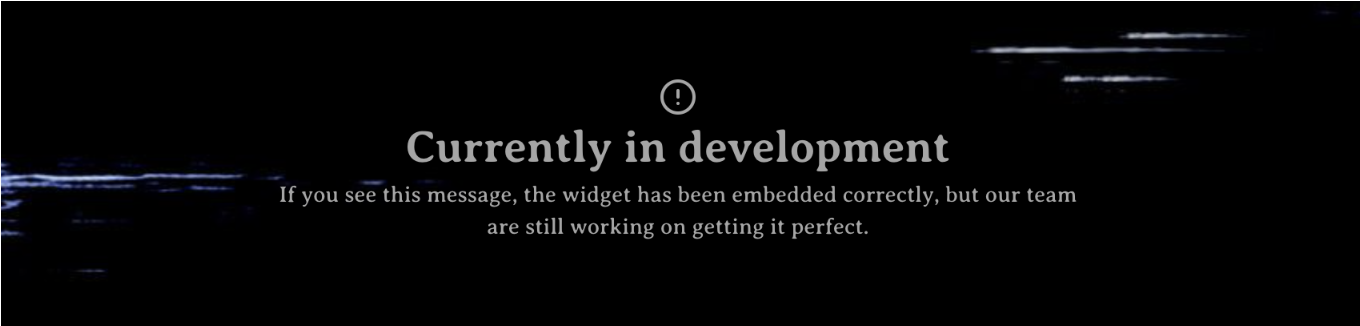
Your account manager will share the widget ID and config ID when the widget is ready to embed on your website. There may be a holding message while we finalise work on the integration, so if you see this it means you have integrated the widget correctly. You can see an example of this below:
For more information and tips on where best to embed your widget, please see our handy guide here.
To see the TickX Flows in action, or if you're looking for inspiration from other global players across theatre, exhibit, activities & attractions, see examples from our other partners here.
For information on how to embed our signup widget see our guide here.