
This guide explains how to set up the Mailchimp integration in TickX IQ so you can automatically sync transactional data and customer audiences. It walks you through creating an API key in Mailchimp, selecting the correct audience, adding the Audience ID, and configuring customer subscription status. Once active, TickX IQ sends new contacts and audience updates to Mailchimp, tagging them with ‘TickX’ and the relevant audience name, so you can easily segment, target, and automate campaigns using live data.
How to set-up your MailChimp Integration so you can sync transactional data & audiences from TickX.
Learn more about Audience Synchronisation here.
Learn about using the TickX Audience Builder here.
- Go to Integrations Hub > Audiences > MailChimp Audiences > Add Details
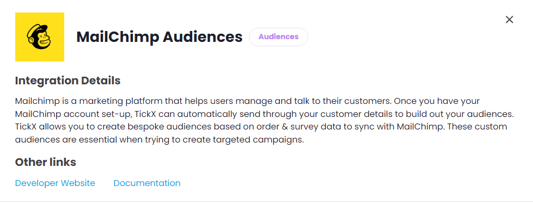
- Enter API Key
- Click the Profile Icon at the bottom left of the screen and select “Accounts & Billing”
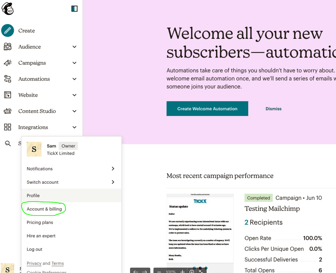
- In the top menu select Extras → API keys
- Click “Create A Key”→ add this into API Key field in TickX IQ
- Click the Profile Icon at the bottom left of the screen and select “Accounts & Billing”
- Enter Audience ID
- Go to Audience → All Contacts (If you have multiple audiences in Mailchimp Select the Audience you want TickXIQ to synchronise with)
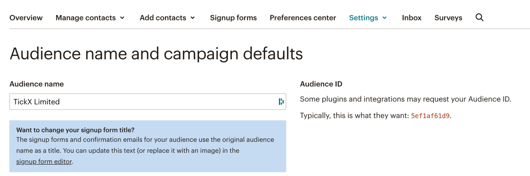
- Click Settings → Audience name and defaults
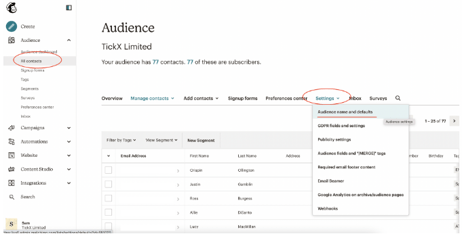
- Copy Audience ID → add this into Audience ID field into TickX IQ
- Set Customer Subscription Status
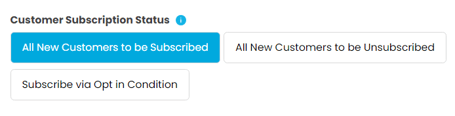
- Transactional data & new customers will be added into MailChimp once Audience Sync is switched on. This field will determine whether or not new contacts are added as Subscribed or Unsubscribed.
- MailChimp Tags > All Audiences synced into MailChimp will tag the contact as 'TickX' and 'Audience Name' If you would like for any extra tags to be added to your TickX synced contacts then you can add this text here.
- Set MailChimp Audience to Active > Save
- Your MailChimp Audiences is now set-up. All transactional data and contacts will now be added into MailChimp automatically. All TickX IQ toggled audiences will create 'Audience Name' tags to your MailChimp contacts.
- Audience syncs into MailChimp every 8 hours.