
This guide explains how to set up the TikTok integration in TickX IQ so you can automatically sync your customer audiences into TikTok Ads Manager. It takes you through logging into TikTok Ads Manager, selecting the appropriate ad account in the Integration Hub, and approving the connection. Once the integration is active, all TickX IQ audiences you toggle on will appear as Custom Audiences in TikTok, updating automatically on a regular sync cycle to support accurate and high-performing ad targeting.
How to set-up your TikTok Integration so you can sync audiences from TickX.
Learn more about Audience Synchronisation here.
Learn about using the TickX Audience Builder here.
- Log-in to TikTok Ads Manager (You need to ensure that you have Admin Access for the account you would like to link)
- In the same window > new tab> Go to Integration Hub > Audiences > TikTok Audiences
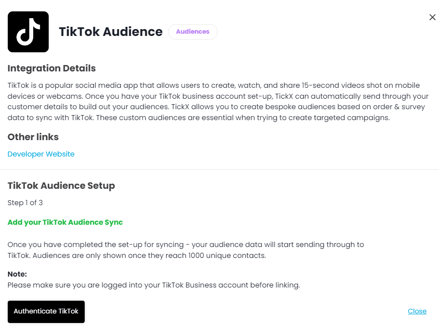
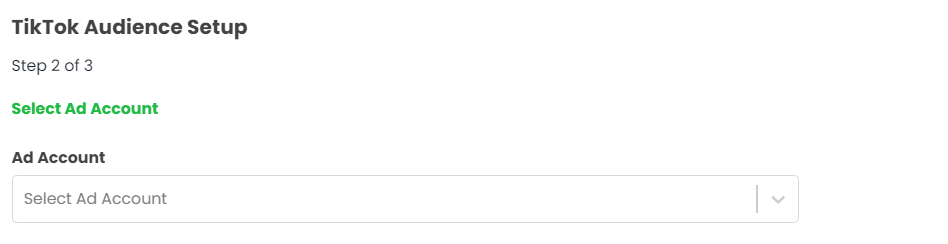
- Follow the step by step process by selecting your Ad Account - Save Selection
- TikTok Audiences is now set-up
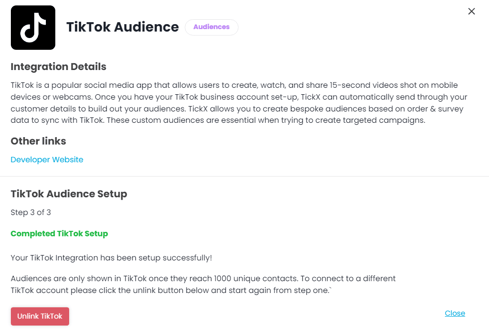
- All TickX IQ toggled Audiences will now appear once they reach over 1000 contacts & update within your TikTok Ad Account as Custom Audiences.
- Audience syncs into TikTok every 9 hours.