
This guide explains how TickX Adaptive Cart Abandonment helps you recover lost revenue by automatically emailing customers who drop off during the booking journey. It covers how the system triggers emails through your connected CRM, enables multi-step chain emails, and uses advanced settings to tailor messaging based on customer behaviour, such as urgency for next-day bookings versus future dates. You’ll also learn how to set up third-party integrations, use webhooks, create multiple communication streams, prioritise messaging, and analyse performance through dedicated Cart Abandonment analytics.
How Adaptive Cart Abandonment Works?
Drive incremental revenue with a low cost, by bringing customers back to purchase via TickX Cart Abandon triggers.
Cart Abandonment provides you with the ability to email those who have dropped off the purchase journey to encourage them to complete their purchase. TickX cart abandonment is set-up to trigger emails through an API connection to your CRM platform, meaning we handle the automatic triggers but you retain control of the look and feel of your emails.
With TickX IQ you can also create chain emails so you can send multiple emails to your drop-offs - changing the content each time to create more urgency, triggering only if the customer has not yet converted.
We have advanced settings so your messaging can differ based on the selections of the drop-off.
E.g. Someone who dropped out of a flow where they were looking to book tickets for the next day may get a more urgent email than someone who dropped out of a flow where they were looking to book tickets for next month.
Our Cart Abandon Analytics provide you with the insights into how your Cart Abandon emails are performing so you can quickly adapt and change your methods to increase success.
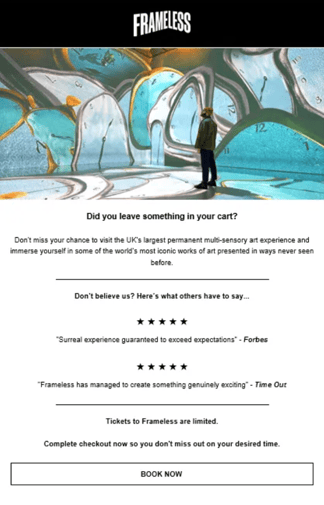
Examples of great cart abandon emails

 .
. 
Setting up your 3rd Party Cart Abandonment Emails
Below is the list of all 3rd party platforms which we can trigger emails to. Please click through to the articles and follow the steps to start setting these up.
We can also send drop-off data via a Web Hook. Please click through the below article and follow the steps to set this up.
Chain EmailsYou may want to create a communication chain with different messaging, increasing in urgency as the days progress from the original drop-off date. Some of our clients like to even offer a small discount or perk after a week if the potential customer has not yet converted.
You can create a chain by going to Cart Abandonment > My Email > Click on Actions next to the email you would like to create a chain from > Chain Emails
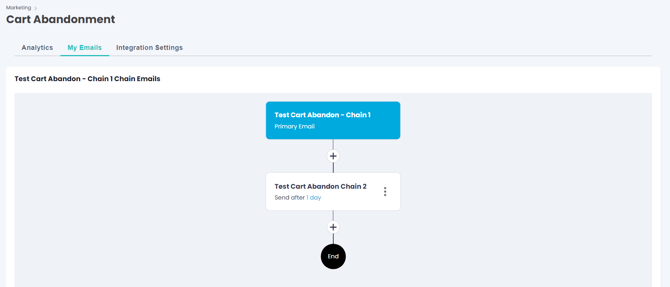
You can determine how long after the initial email you would like to trigger the next communication in the chain. The secondary/third emails will only send if the customer has not yet placed an order.
Multiple EmailsYou may want to create multiple communication streams and separate chains based on the drop-off data collected. The emails can be differentiated based on the Advanced Options within the Initial Email Set-Up.
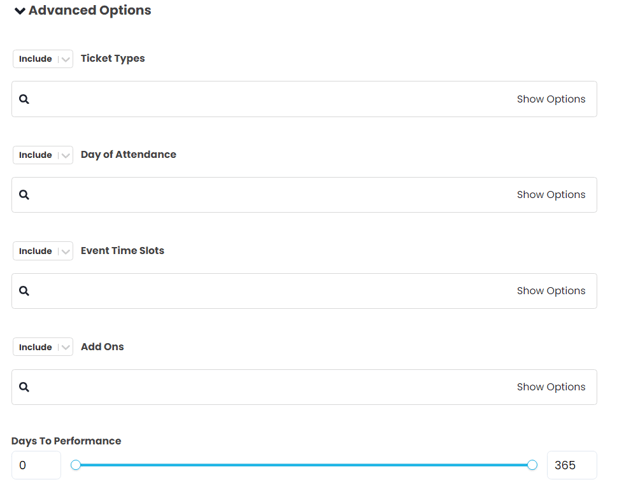
You may want to create a different communication chain for those who were interested in a VIP experience than those with standard tickets in their basket. The above third party articles explain in details how you can set this up.
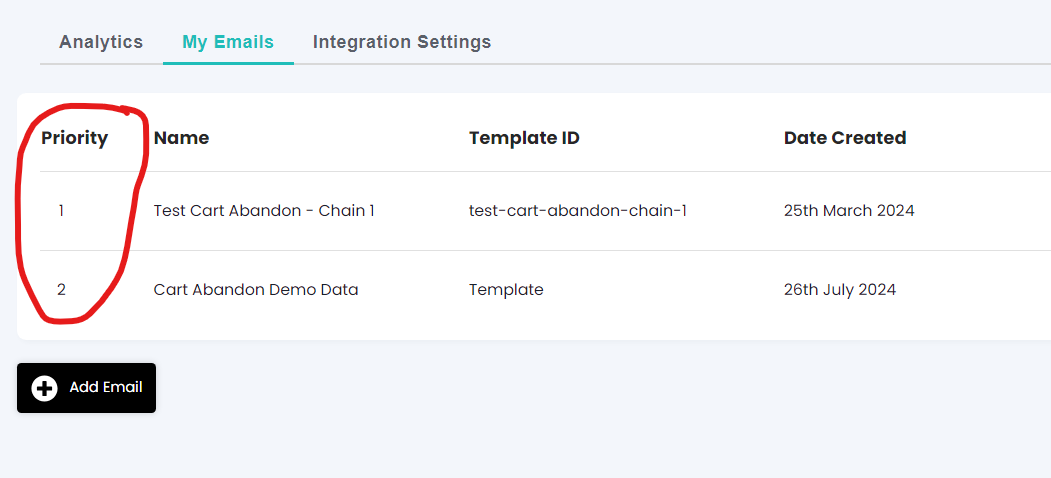
We have added in a priority for when you have multiple Cart Abandonment emails. This means drop-offs aren't getting mixed messaging if they fall into multiple categories e.g. they have both VIP & Standard tickets in their basket. (Drag and Drop to change the email priority)
Once your emails are set-up you can track their performance using our Cart Abandon Analytics. This section includes all the essential information to measure success; revenue generated from Cart Abandon emails (Figure is calculated based upon orders made from customers after a Cart Abandon email has been sent), Email Opens, Clicks, Recipients & Conversions. 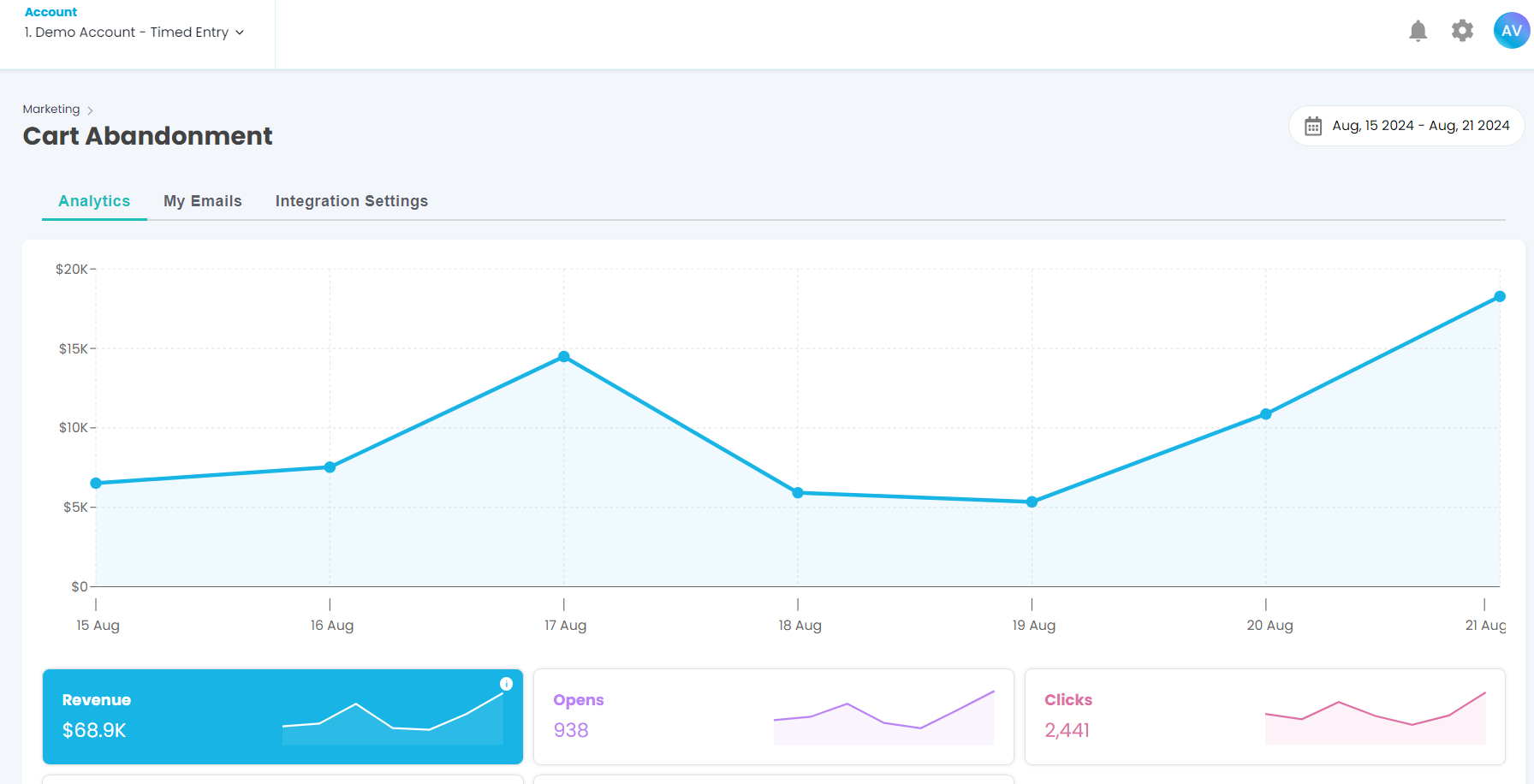
If you have multiple emails & chains set-up then the analytics can integrate further how each email compares against others and which of your Cart Abandon emails performs most successfully.